
The Apple TV remote,at last not lostin the couch
A small silver slab that slips, always, into the cushions. So we put the remote there instead.


Small moves of
obvious intelligence.
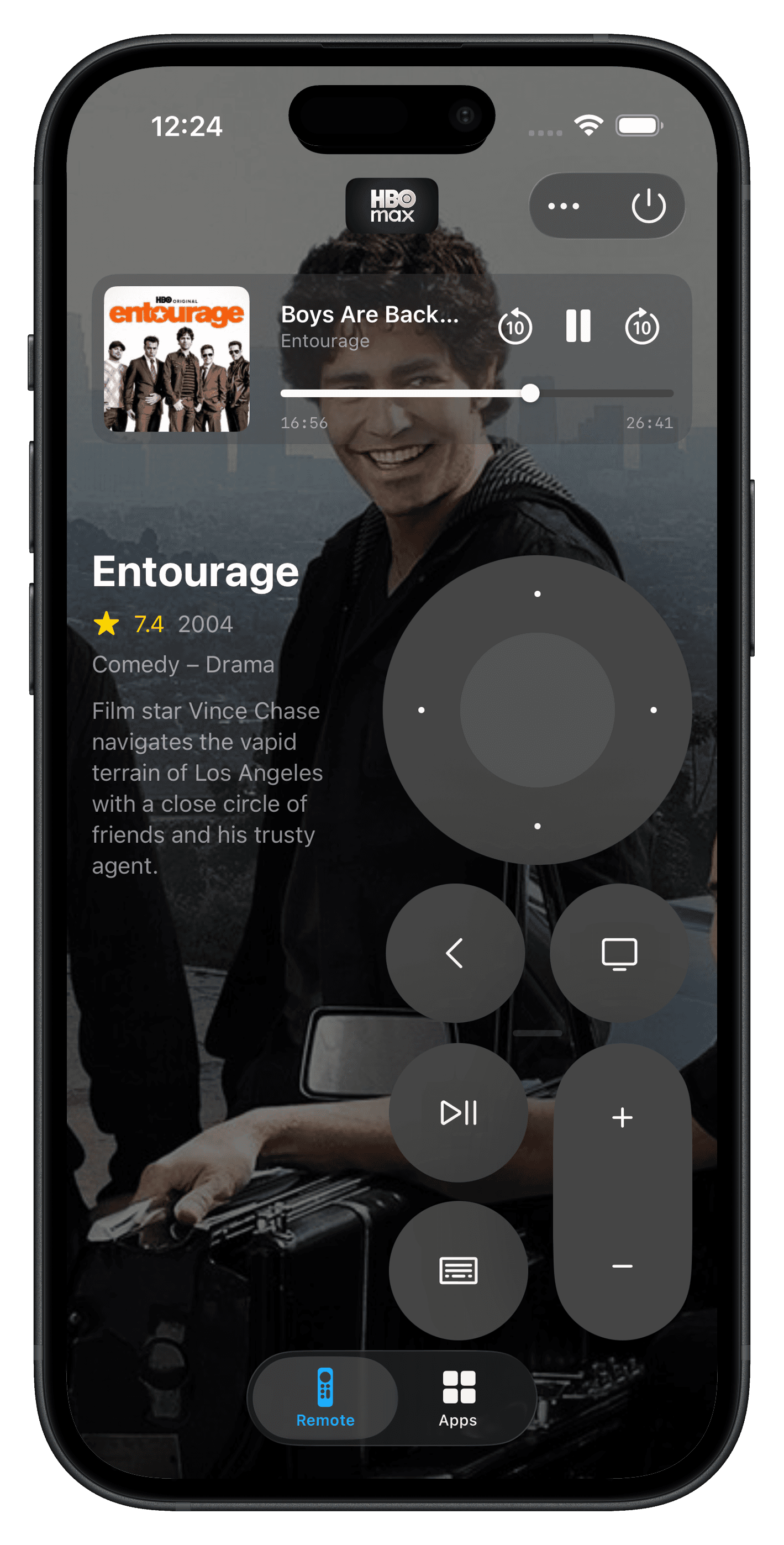
Every app, one tap away.
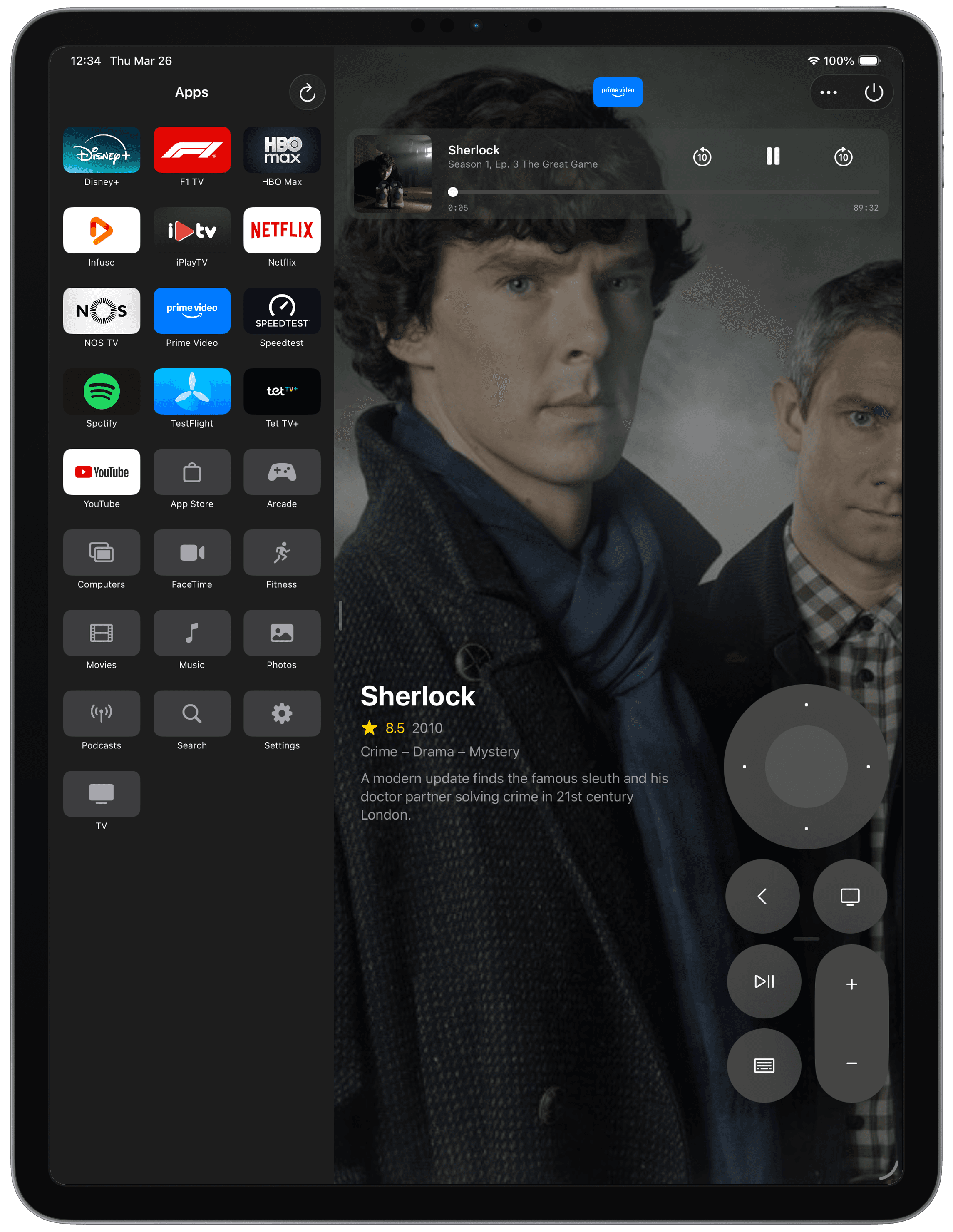
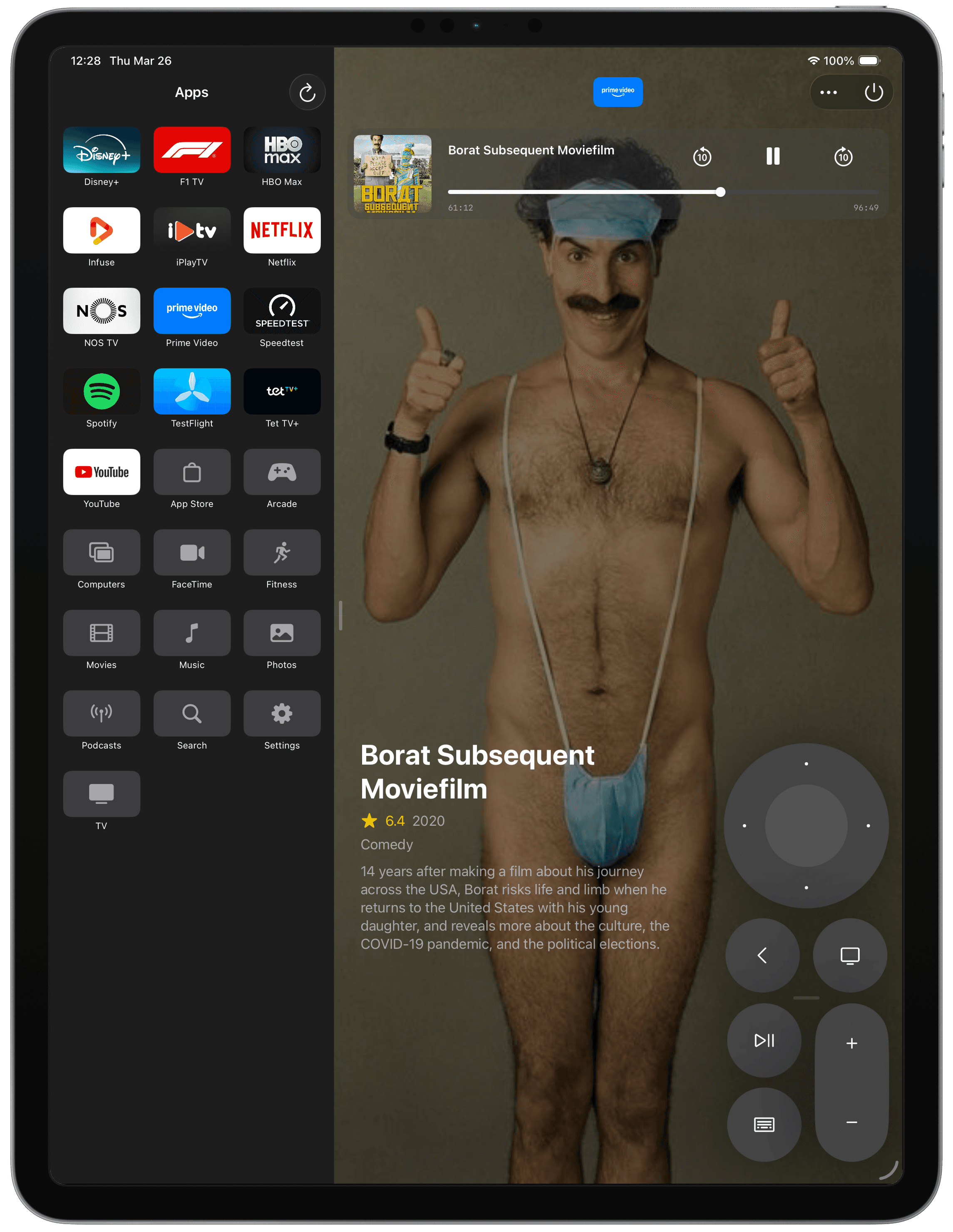
Browse the apps installed on your Apple TV. Drag to reorder. Launch one and the remote slides back into view, ready for whatever happens next.
No more scrolling through a home screen made of billboard-sized icons with a thumbpad the size of a thumbnail.
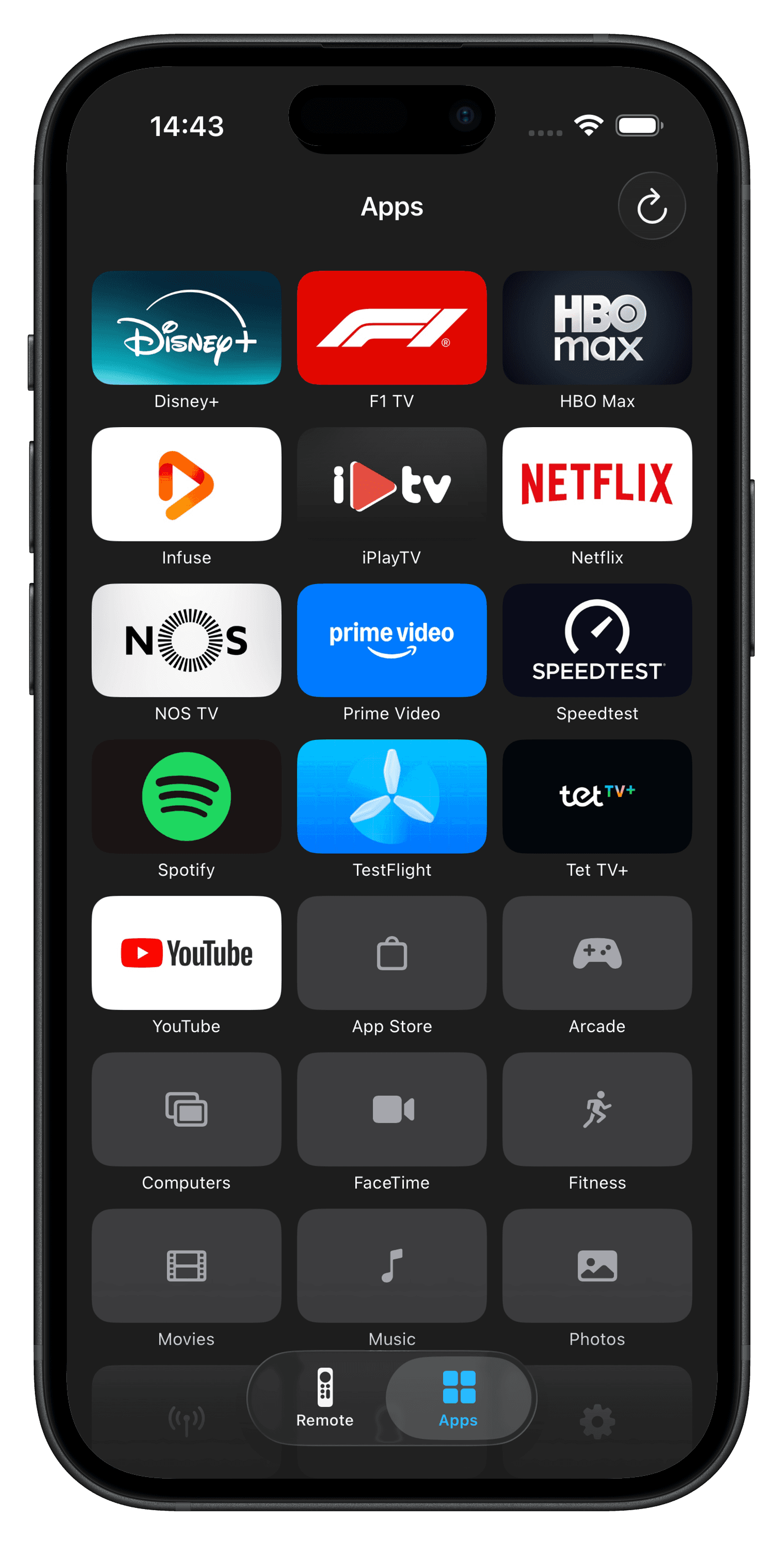
Left hand, right hand — your choice.
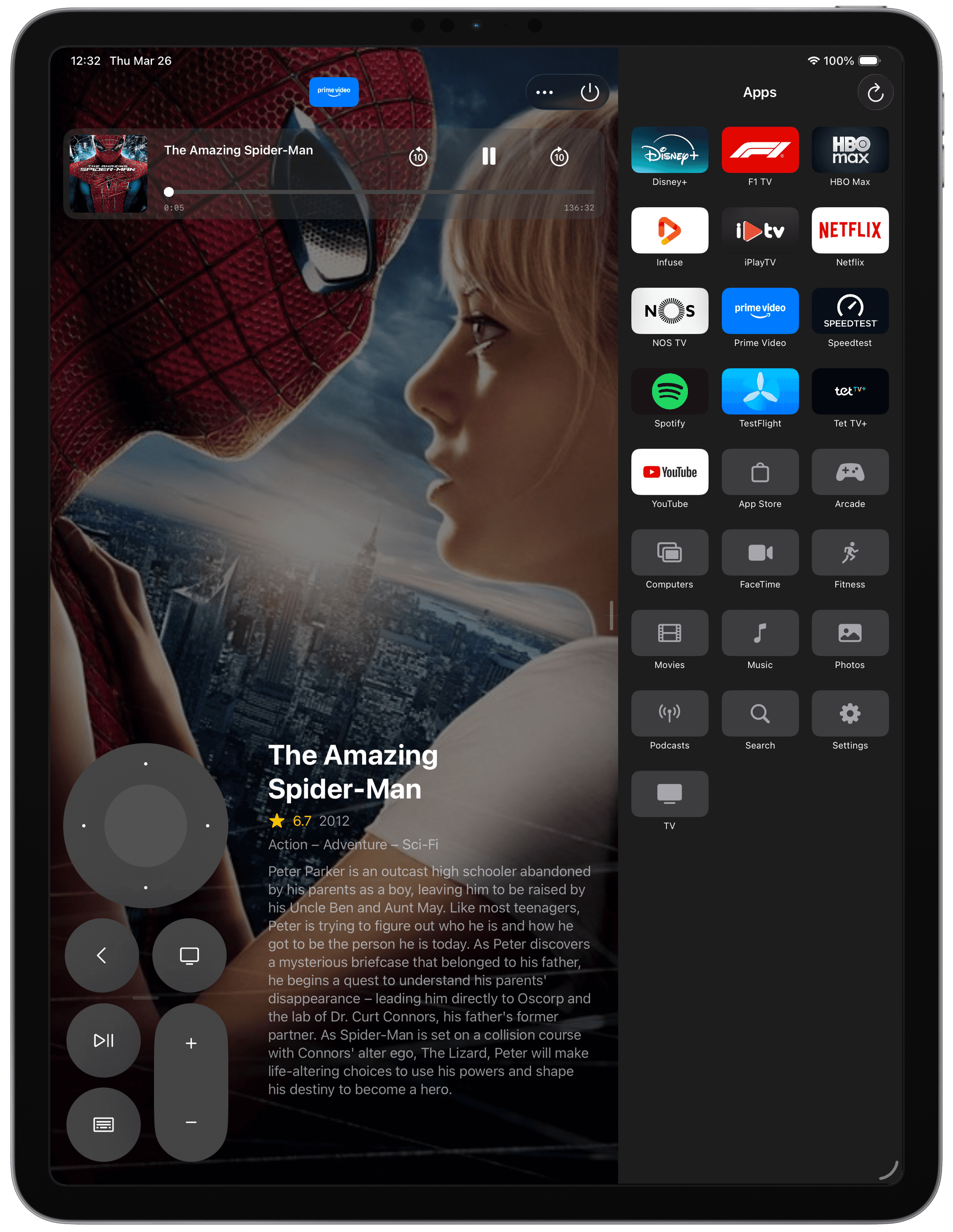
Drag the remote to whichever side of the screen feels natural. Reposition it vertically until your thumb lands home.
We don't think handedness is a preference; we think it's a fact. Itsytv respects that.
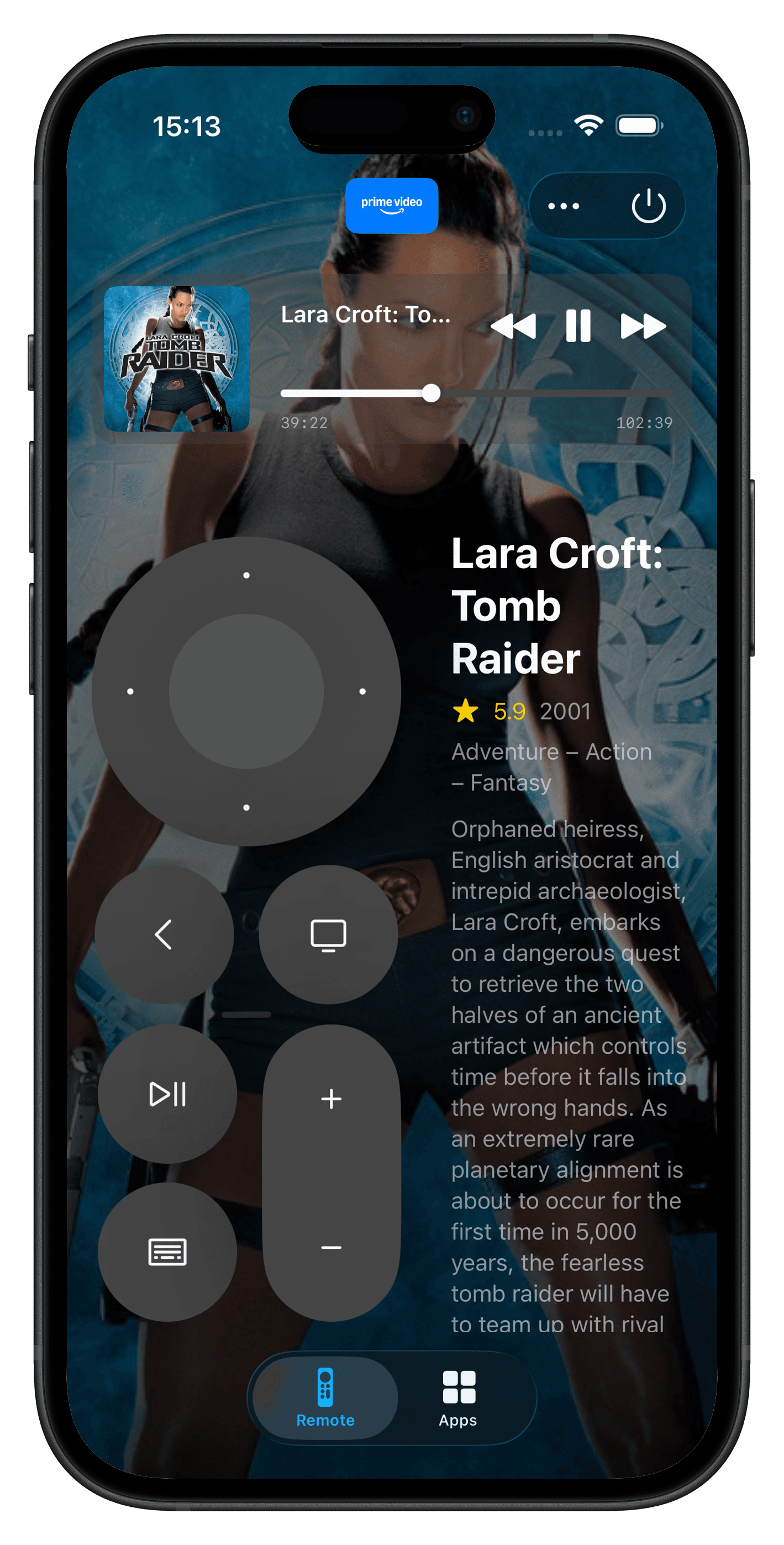
Who's in this, again?
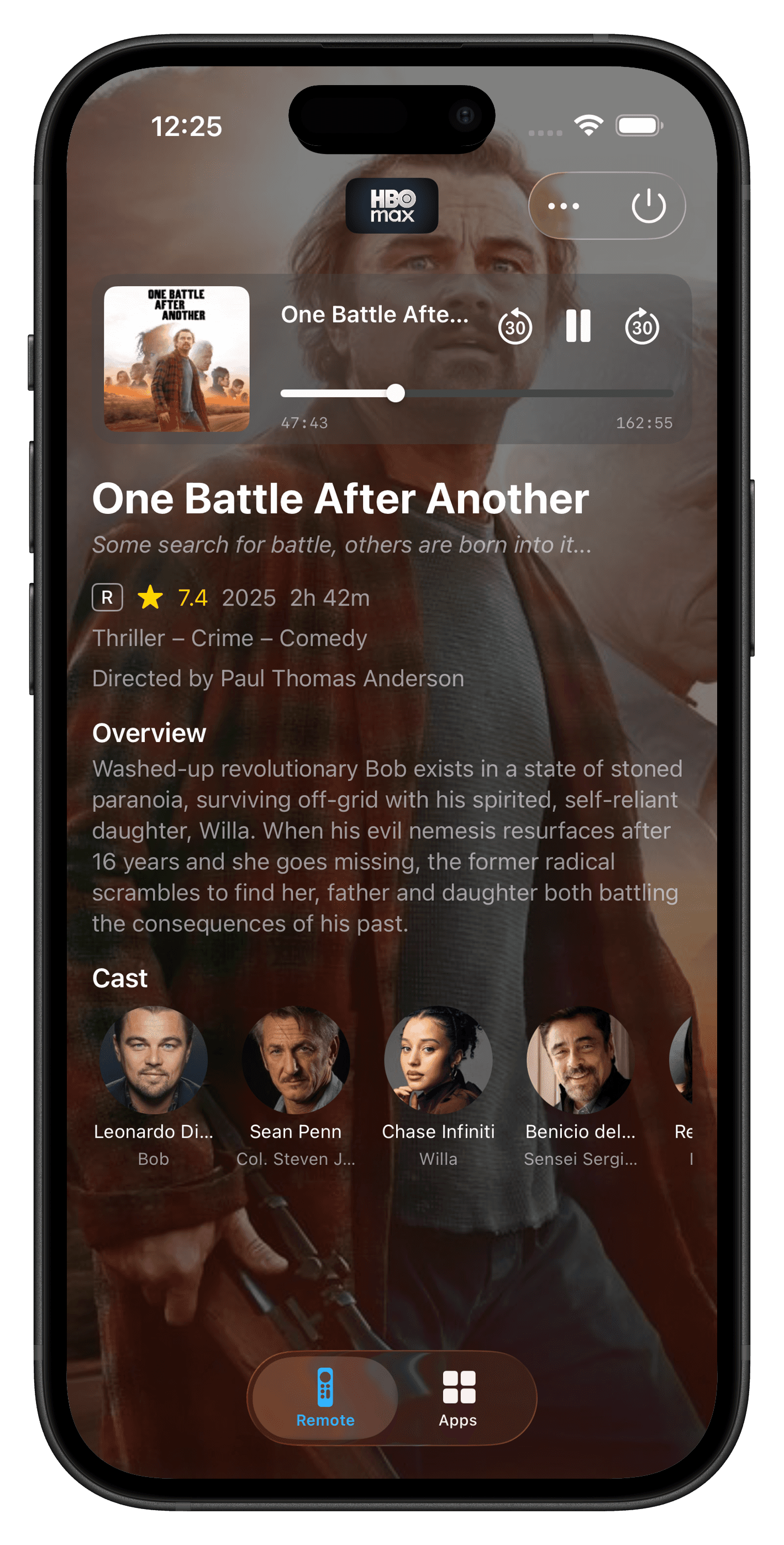
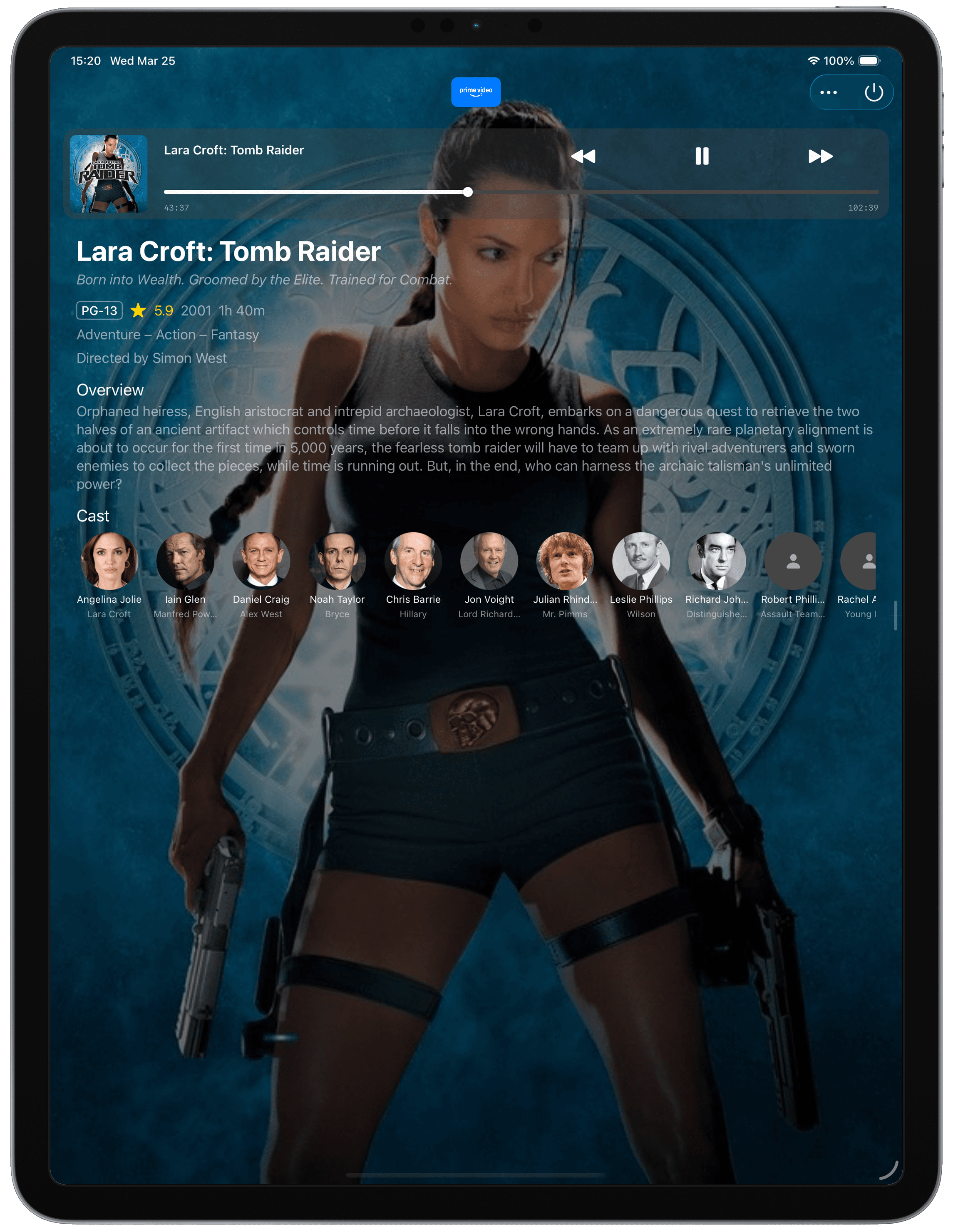
When something is playing, Itsytv looks it up — pulling artwork, plot, rating, genre, and cast straight into the remote.
Tap through for full credits with photos. That guy who looks familiar? He was in the other thing. Confirmed in two seconds.
One app, every TV.
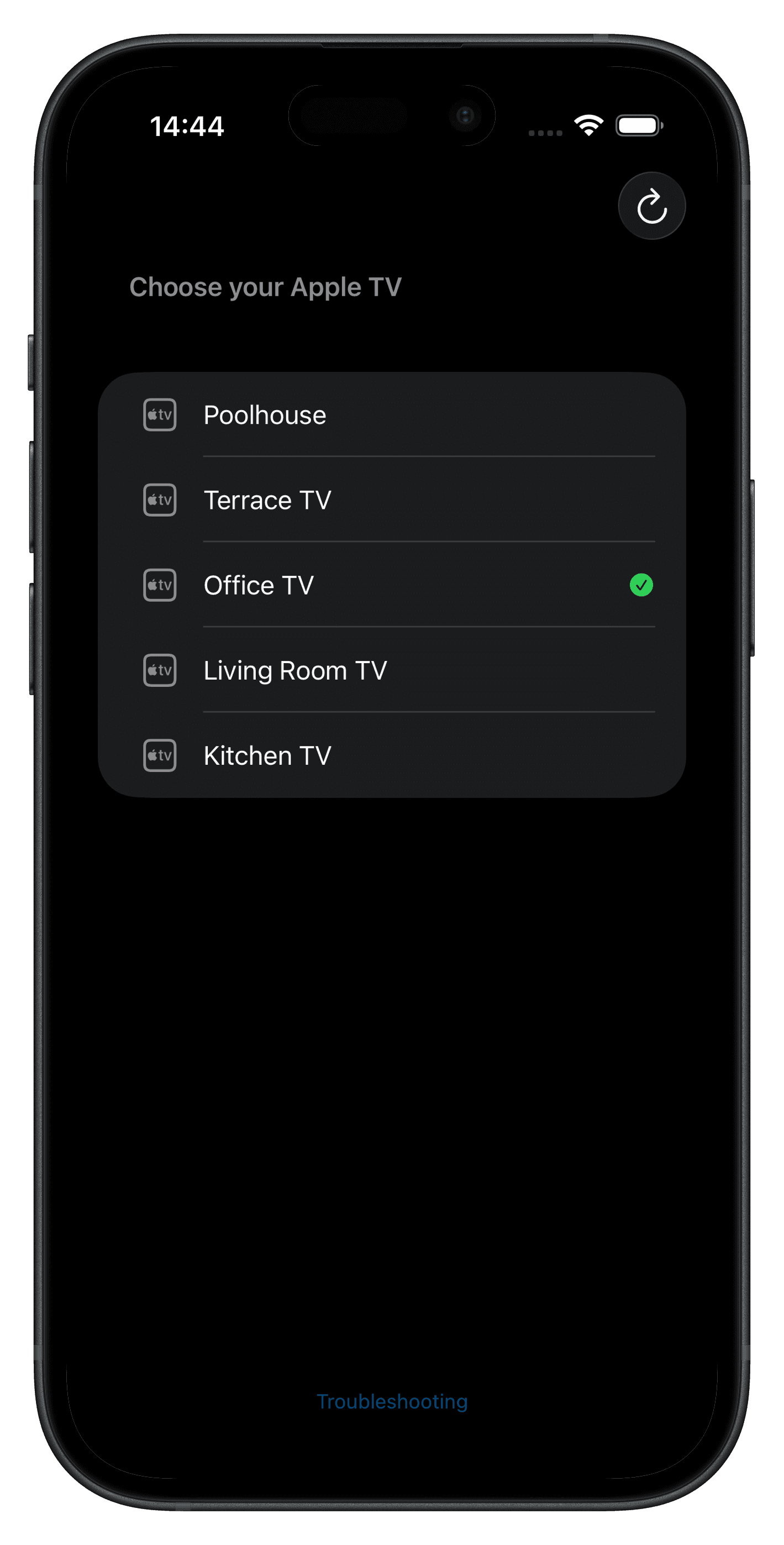
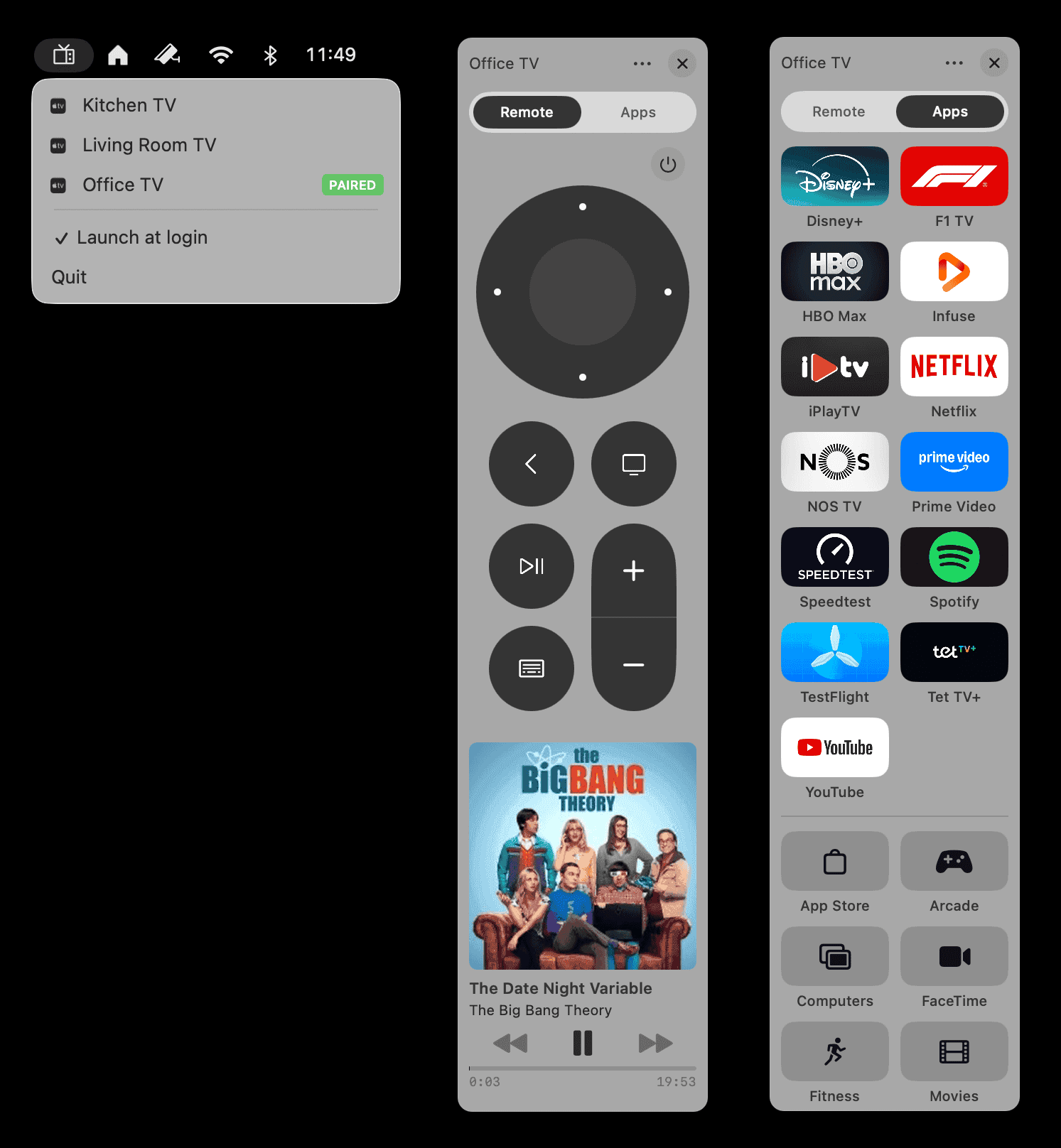
Kitchen, bedroom, office. Itsytv knows them all, switches between them in a tap, and reconnects automatically to whichever you used last.
A house full of Apple TVs should not mean a drawer full of remotes.
Great success
on iPad.
Two panels, side by side. App launcher on one, remote on the other. Scrub, browse, and judge the cast — all at once, from the couch.
The iPad is the only device in your house that is both big enough to be useful and small enough to hold. Itsytv treats it that way — a proper desk for your remote, with room for the what's playing panel to actually breathe.
Flip it into portrait, switch hands, park it on your lap. The layout rearranges to suit the grip; nothing important ever ends up under your palm.
Right in
your menu bar.
On Mac, Itsytv is a menu-bar tenant. One click and it's there; one click and it's gone. Type into Apple TV search fields from your keyboard. Control playback without switching apps.
Free and open source, because menu-bar utilities should cost zero and run forever.
People are saying
kind things.
You have delivered the missing piece of my workflow when covering tvOS away from the office.
The app you've been waiting for. A perfect replication of the Siri Remote, and more.
Apple quality.
Not just a remote app — more like a viewing companion.
Very intuitive layout, excellent background information, and just a great remote overall.
Love this app. It always works.
Far better than the remote. Completely worth the money.
Amazing
Best Remote App! Simple clean and so useful! Nick the Dev is amazing and is always helping or just listening to his users for ideas and feedback, then actually implements them!
Everything the Apple TV should be
Looks great, run great, zero problems. Great job building this app. This is what Apple should have done from the beginning
Really enjoying it so far
This app has been great since downloading it a few weeks ago. I haven’t had hitch nor glitch so I think anyone interested should definitely buy.
Fantastic Remote App
This is a great replacement for iOS inbuilt TV controls. It’s worth it just for giving me a Mute button for my 4K gen 1, but it does so much more. Quick access to TV apps is another plus. The only minor niggle I can find is that sometimes media background art can make it hard to read media text. An option to turn art off would be nice. Nevertheless, a solid 5-star app.
Hervorragend
Ist einfach genial.🤩
Instant buy as I found out all it could do!
Thank you so much for this, it’s perfect! I don’t know if this is possible but it would be great if the iMDb integration could link to the episode page of a show instead of the show itself. That’s the only thing I can think about right to improve the app even more. But as I said, it’s perfect as it is right now. Thank you again!
Jetzt auch in Deusch
Vielen Dank für diese App. Ich finde sie großartig ❤️
Spitze!!
… eine deutsche Übersetzung wäre noch schön und die Verknüpfung mit der deutschen IMDB. Das Widget wird im Glass-Modus auch nur als weißer Kasten dargestellt. Somit noch einiges zu tun. Update: wow, das ging ja schnell. Deutsche Übersetzung! Nun für mich perfekt, deswegen auch fünf Sterne.
Nice alternative
This is a very useful app and, in my opinion, it performs better than the standard remote. It would be even better if it supported a “full-screen” (with the nice lay-out that is) experience not only for movies but also for other content, such as TV series.
Best remote ever.
I use this more than the physical remote. We all know that hardware OEM remote is finicky. I love how it shows me all my info on screen. The latest update gave me great features. Definitely recommend this for your Apple TV set up. You always have your phone with you anyway.
This is what the inbuilt remote should have looked like. Great work.
The perfect Itsyhome companion.
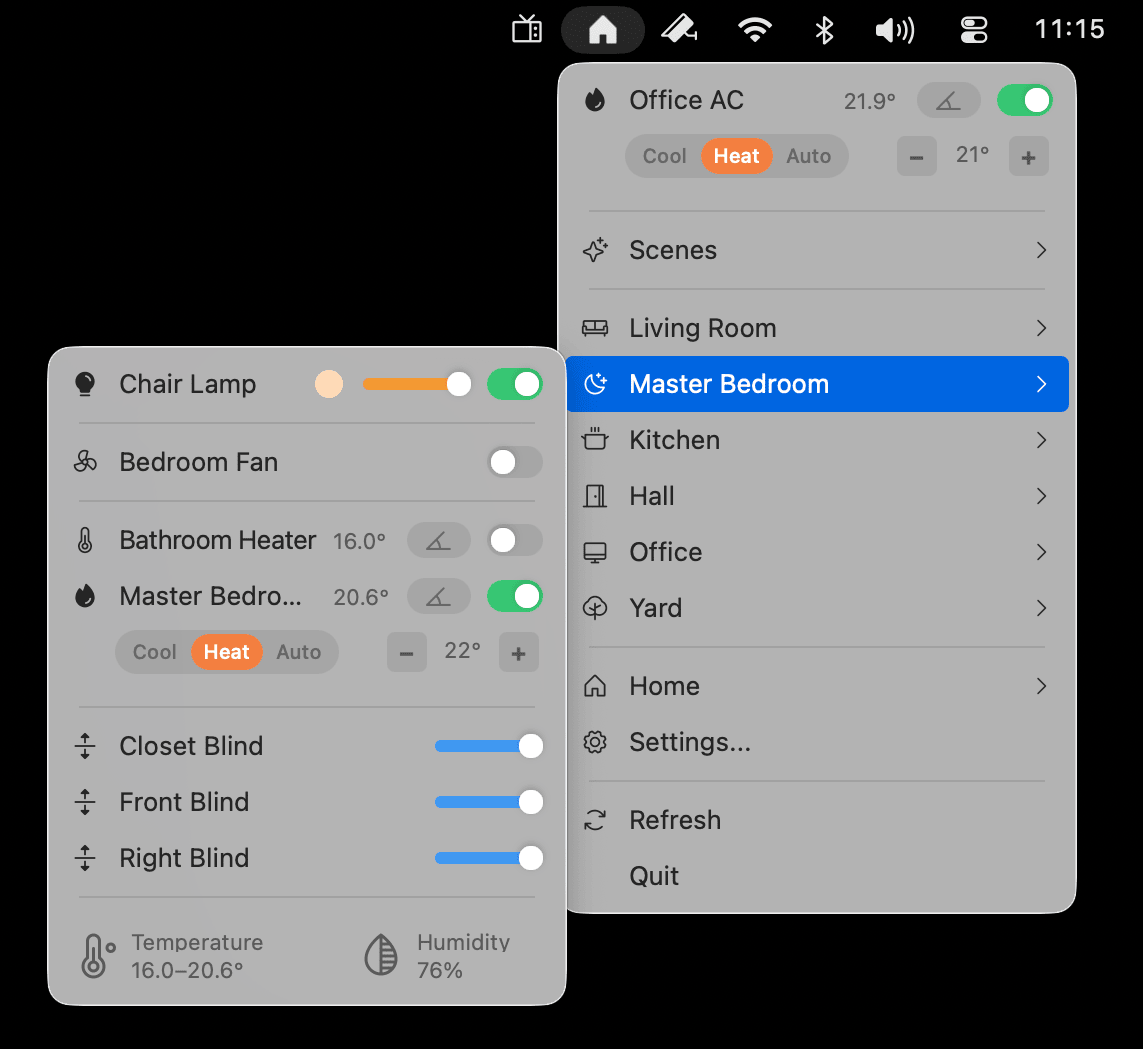
Already controlling your lights, locks, and thermostats from the menu bar?
Itsytv completes the picture. One tidy row of icons between your Wi-Fi and your clock — your whole house, your whole TV.
Requirements
and other details.
iOS 17
or later
Also iPadOS 17. Universal purchase.
macOS 14
Sonoma
Menu bar native. Apple Silicon or Intel.
4th gen
or later
tvOS 15 or later. Same Wi-Fi network. One-time PIN pairing.